Bank notifications,
straight into YNAB.
No direct import for your bank? Keep your unlinked accounts current without CSV exports or manual typing. NotifSync turns the transaction alerts your banking apps already post into YNAB transactions. You tag the amount, payee and date once, and it recognises that format from then on.
NotifSync isn't on Google Play yet. The listing is in review.
Opens a message to support@notifsync.com. I'll write back once, when the listing goes live. No list, no newsletter.
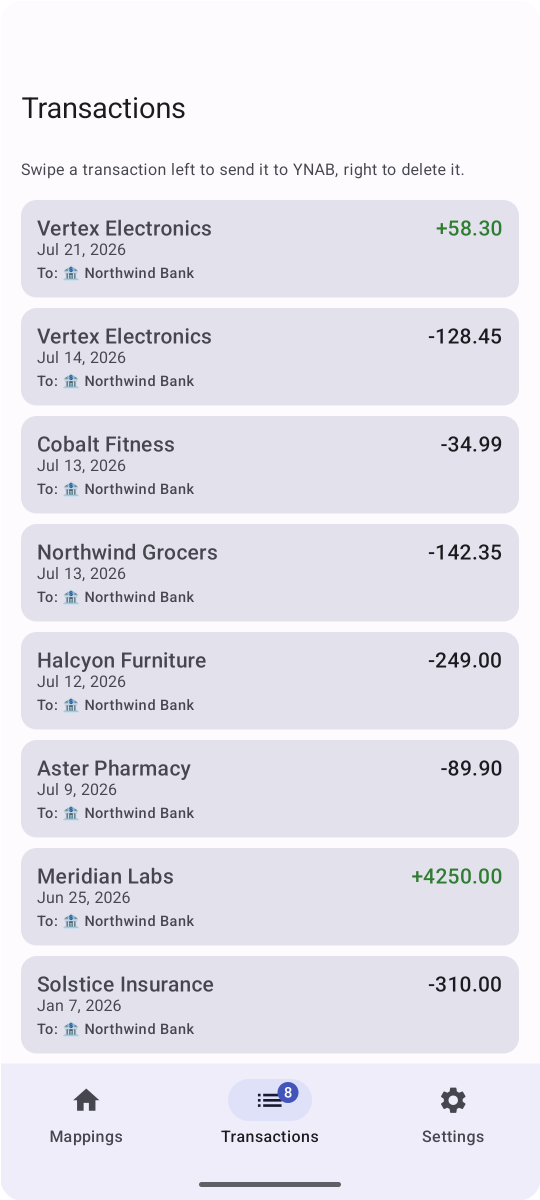
Three steps, then it runs itself.
A payment alert hits your phone. A clean line lands in YNAB. That's the whole thing.
NotifSync quietly listens for the alerts your banking apps already send.
Tap the amount, payee and date right in the text. NotifSync remembers the pattern for next time.
Review the queue, then push to YNAB with a tap. Nothing syncs without you.
Built for people who actually budget.
Visual pattern builder
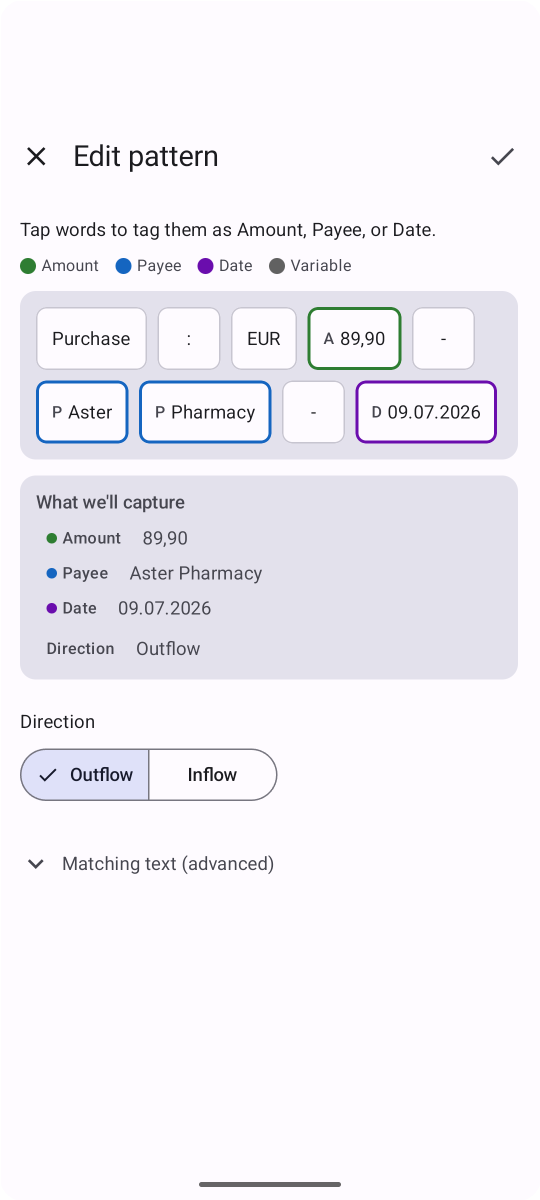
Tap the amount, payee and date right in the notification text. That's the setup. NotifSync saves it as a pattern and matches it from then on.
On-device parsing
Every notification is read and matched on your phone. The only thing that ever leaves is the transaction you send to YNAB.
Works with unlinked accounts
Direct import isn't the only way in. If your bank posts a notification, you can sync it — no bank connection, any currency, no CSV exports. One pattern per notification format, as many banks and cards as you like.
You approve every sync
Every match lands in a review queue first. Check it, fix anything, then push it to YNAB on your terms.
Inflow & outflow
Mark a pattern as income or spending, so money coming in never lands in YNAB as money going out.
Looks like part of your phone
NotifSync follows whatever your phone is already set to, light or dark. Nothing to pick, nothing that looks bolted on.
Your money data never meets a middleman.
NotifSync has no backend, no analytics and no account to sign up for. Your notifications and transactions go exactly two places: your phone, and your own YNAB account.
Read the full privacy policyProcessed on your device
Notification text is read and parsed locally. It is never uploaded anywhere.
No servers, no accounts
There's no NotifSync cloud to leak. Your transactions go to your own YNAB account and nowhere else.
Your YNAB sign-in stays local
The key that lets NotifSync talk to YNAB is kept in your phone's app storage and used for nothing else. You can revoke it from YNAB whenever you like.
You control what's stored
Patterns and transactions sit in a local database you can clear at any time.
Stop typing in
transactions by hand.
Once it's installed, you point NotifSync at your banking apps and your notifications keep YNAB current. It isn't on Google Play yet: the listing is in review, and I can't give a date for when that clears.
A few things to know first.
Is there an iPhone version?
No. NotifSync is Android only, 8.0 or newer. It works by reading the transaction alerts your banking apps post, and iOS doesn't let apps do that.
Why does it need notification access?
That permission is the whole mechanism: NotifSync reads the transaction alerts your banking apps post so it can turn them into YNAB transactions. Every notification is parsed on your phone. There is no NotifSync server to upload anything to.
Will it recognise my bank's notifications?
If your bank sends you a transaction notification, yes. Nothing is pre-configured, and that is exactly why there's no supported-bank list to be on. Instead of guessing at your bank's wording, NotifSync learns it from you: tag the amount, payee and date once in a real notification, and it saves that as a pattern it recognises from then on. Each format your bank sends — payments, refunds, transfers — gets its own pattern, and you can add as many as you like, across as many banks and cards as you use.
Is this made by YNAB?
No. NotifSync is an independent app built by one developer, and it isn't affiliated with or endorsed by YNAB. It connects to your plan through YNAB's official API. You sign in to YNAB to authorise access, and you can revoke it from your YNAB account at any time.
What if NotifSync stops capturing transactions?
The likeliest cause is that NotifSync was not running when the notification arrived. Android, and some phone makers on top of Android, stop apps in the background to save battery. Your bank's alert still reaches your phone, but NotifSync reads a notification as it arrives, so if it was asleep at that moment, that alert is missed. Transactions going missing overnight is the classic sign. The fix is to let NotifSync run in the background. The names differ from phone to phone, so look for a setting called something like Battery optimisation, Unrestricted, Sleeping apps or Autostart, and searching your phone's settings for NotifSync is usually the quickest way to find it. NotifSync's own settings have a Troubleshooting section that checks what it can and opens the right system screen for you.
Does Do Not Disturb stop NotifSync from working?
No. Do Not Disturb mutes the alert. It does not stop the notification reaching NotifSync. I tested every Do Not Disturb mode, including total silence and with notifications hidden from the screen, on stock Android and on a Samsung phone, and the notification arrived every time with its details intact. So if you use Do Not Disturb on purpose, keep it, and you do not need to make an exception for your bank. The setting that does matter is whether the banking app is allowed to show notifications at all. Find that app in your phone's settings and check its notifications are on, then check inside the app too, since many banking apps have their own switch for transaction alerts. NotifSync cannot tell you which of these is wrong on your phone. Sleep, bedtime and focus modes go further than standard Do Not Disturb on some phones, and those I have not been able to test. This is a separate thing from NotifSync not running in the background.